Wonders AI Research Workspace Logo

Solutions

More

Globe Icon - Language Switcher
Chevron Down Icon
Wonders AI Research Workspace Logo

Solutions

More

Globe Icon - Language Switcher
Chevron Down Icon

Literature review tools for students—50% off.

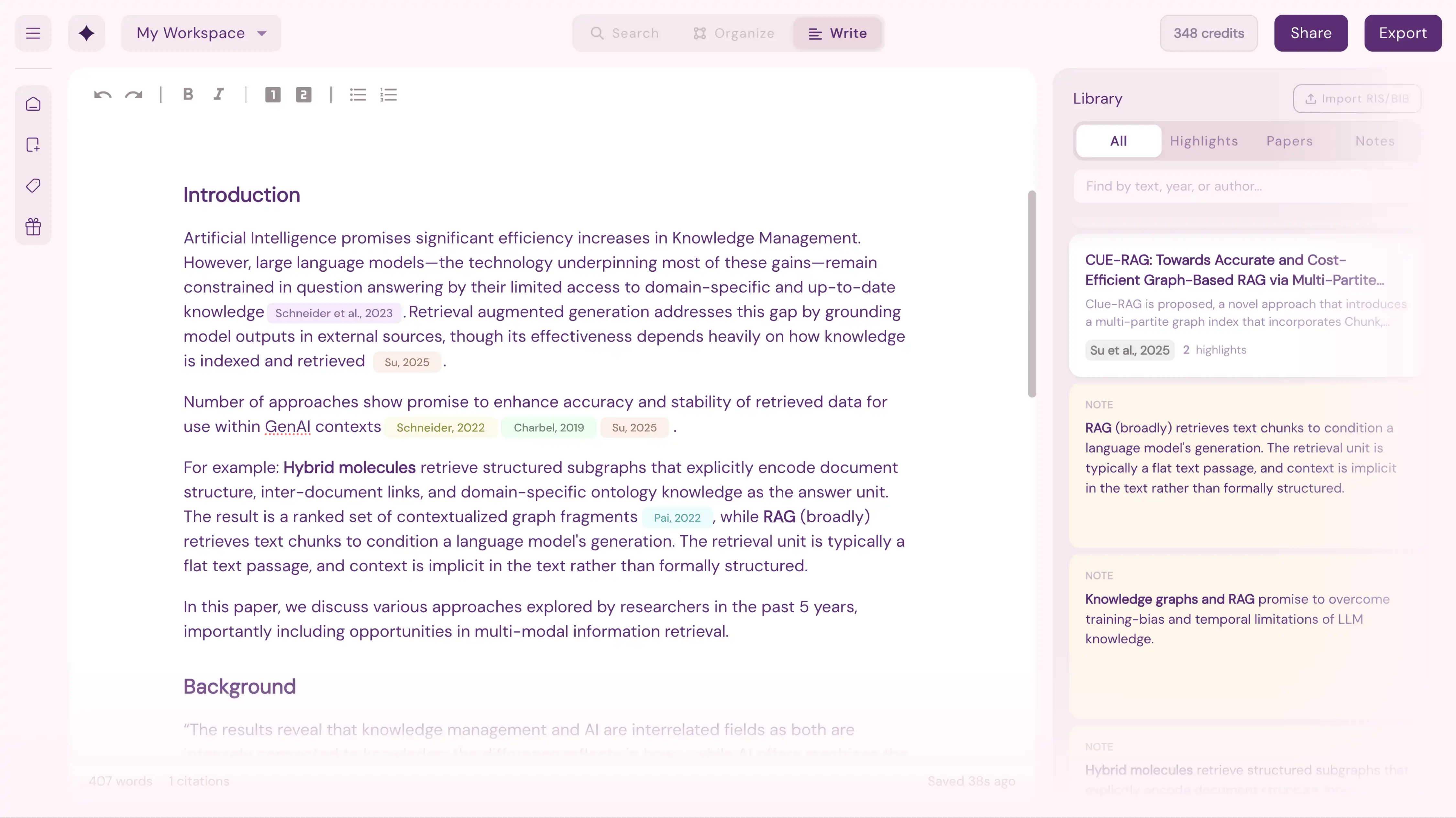
Wonders helps students tackle literature review step by step—from finding your topic to exporting citations. Search 550M+ academic sources, organize papers visually, and get AI guidance with full transparency. Just $8/mo with student discount (billed annually).

Get your code on StudentBeans or email scholarship@readwonders.com.

21-day free trial.

Wonders AI Research Workspace Multi-Column Search Screenshot
User Profile picture

4.9

Wonders AI Research Worskpace AI Highlighter tool
Wonders AI Research Worskpace Notebook Screenshot
Wonders AI Research Worskpace Collaboration Overlay screenshot
Wonders AI Research Workspace Multi-Column Search Screenshot
User Profile picture

4.9

Wonders AI Research Worskpace AI Highlighter tool
Wonders AI Research Worskpace Notebook Screenshot
Wonders AI Research Worskpace Collaboration Overlay screenshot
Wonders AI Research Workspace Multi-Column Search Screenshot
User Profile picture

4.9

Wonders AI Research Worskpace AI Highlighter tool
Wonders AI Research Worskpace Notebook Screenshot
Wonders AI Research Worskpace Collaboration Overlay screenshot
Wonders AI Research Workspace Multi-Column Search Screenshot
User Profile picture

4.9

Wonders AI Research Worskpace AI Highlighter tool
Wonders AI Research Worskpace Notebook Screenshot
Wonders AI Research Worskpace Collaboration Overlay screenshot
  • UCI Logo
  • University of Tennessee Knoxville Logo
  • University of Cambridge Logo
  • University of Michigan Logo
  • Brown University Logo
  • Darthmouth Logo
  • Imperial College London Logo
  • University of Berkeley Logo
  • New York University Logo
  • Stanford University Logo
  • Charles University Prague Logo
  • University of Tennessee Knoxville Logo
  • Colorado University Logo
  • National University Logo
  • Charles University Prague Logo
  • Stanford University Logo
  • Darthmouth Logo
  • UCI Logo
  • University of Tennessee Knoxville Logo
  • University of Cambridge Logo
  • University of Michigan Logo
  • Brown University Logo
  • Darthmouth Logo
  • Imperial College London Logo
  • University of Berkeley Logo
  • New York University Logo
  • Stanford University Logo
  • Charles University Prague Logo
  • University of Tennessee Knoxville Logo
  • Colorado University Logo
  • National University Logo
  • Charles University Prague Logo
  • Stanford University Logo
  • Darthmouth Logo
  • UCI Logo
  • University of Tennessee Knoxville Logo
  • University of Cambridge Logo
  • University of Michigan Logo
  • Brown University Logo
  • Darthmouth Logo
  • Imperial College London Logo
  • University of Berkeley Logo
  • New York University Logo
  • Stanford University Logo
  • Charles University Prague Logo
  • University of Tennessee Knoxville Logo
  • Colorado University Logo
  • National University Logo
  • Charles University Prague Logo
  • Stanford University Logo
  • Darthmouth Logo
  • UCI Logo
  • University of Tennessee Knoxville Logo
  • University of Cambridge Logo
  • University of Michigan Logo
  • Brown University Logo
  • Darthmouth Logo
  • Imperial College London Logo
  • University of Berkeley Logo
  • New York University Logo
  • Stanford University Logo
  • Charles University Prague Logo
  • University of Tennessee Knoxville Logo
  • Colorado University Logo
  • National University Logo
  • Charles University Prague Logo
  • Stanford University Logo
  • Darthmouth Logo

Wonders is best for:

Research papers

Essay research

Thesis writing

PhD Dissertations

Project research

EXPLORE, ANALYZE, WRITE

How Wonders helps you research

Wonders guides you through every step of literature review—no prior research experience needed.

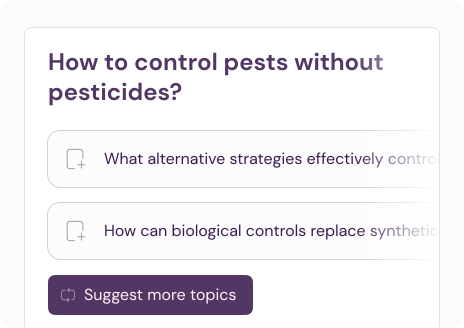
Wonders AI Research Workspace — Topic exploration illustration

Find the right topic

Discover under-explored angles and research gaps with side-by-side search boards. See what's been studied and find topic opportunities.

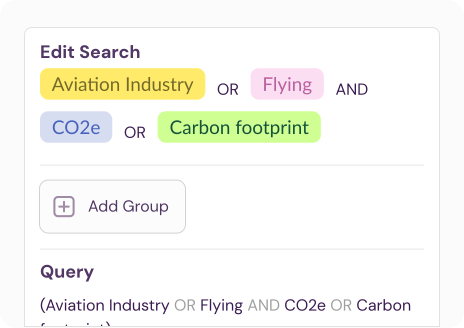
Wonders AI Research Workspace — Search keywords & Boolean Search Illustration

Master search keywords

Get AI-suggested keywords and Boolean queries—from simple searches to advanced strategies that will impress your supervisor.
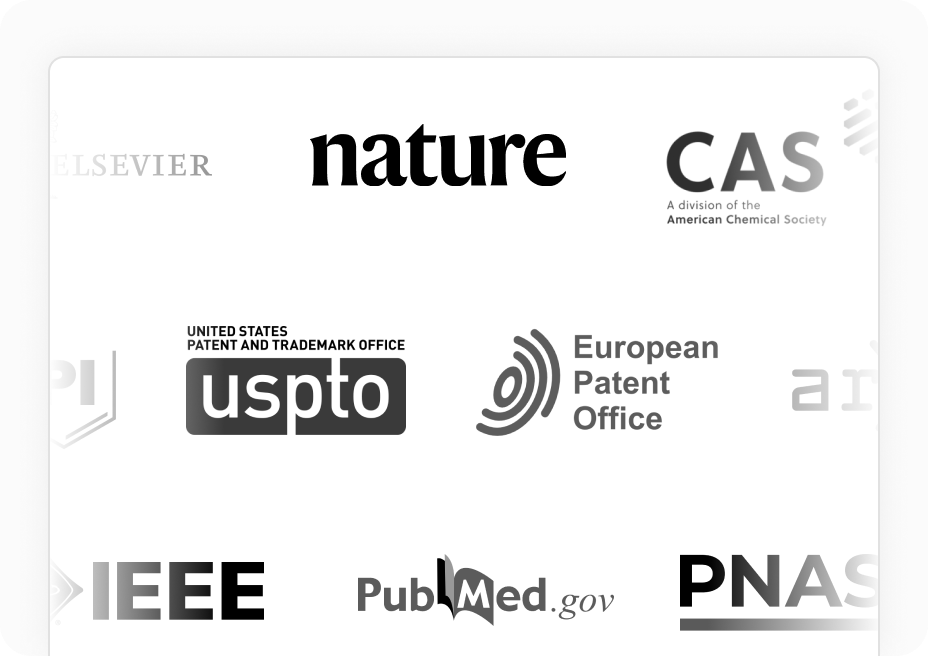
Wonders AI Research Workspace — Supported sources and journals illustration

550M+ sources

Access 550M+ sources across 88,000+ journals—sciences, humanities, dissertations, and patents. Go further than Google Scholar.

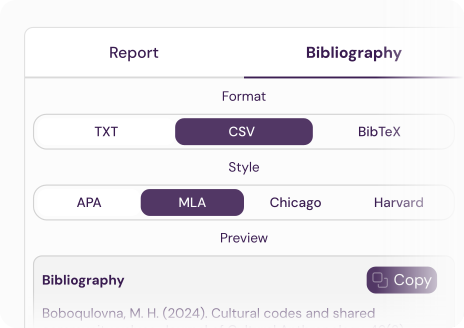
Wonders AI Research Workspace — Report and bibliography export illustration

Auto-generate citations

Export formatted bibliographies in APA, MLA, Chicago, Harvard, and more. No spreadsheets or reference manager headaches.

Literature
review tutorials.

Explore helpful guides and learning resources to master your literature review process, with Wonders or without.


Visit tutorials →

Literature
review tutorials.

Explore helpful guides and learning resources to master your literature review process, with Wonders or without.


Visit tutorials →

Literature
review tutorials.

Explore helpful guides and learning resources to master your literature review process, with Wonders or without.


Visit tutorials →

Literature
review tutorials.

Explore helpful guides and learning resources to master your literature review process, with Wonders or without.


Visit tutorials →

Try Wonders completely FREE for 21 days.
Student? Get up to 50% off.

Try Wonders completely FREE for 21 days.
Student? Get up to 50% off.

What people say about Wonders?

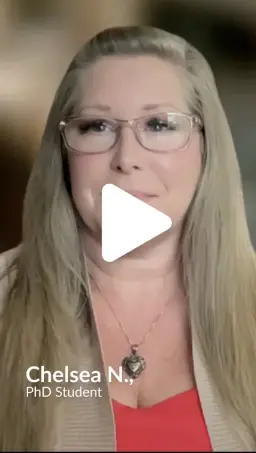
  • As a working PhD student, Wonders helped me save hours, sharpen my research direction, and find stronger, more relevant sources fast.

    Reviewer Profile Picture

    Chelsea N.

    Phd Candidate

  • It’s the only AI that teaches research while doing it.

    Reviewer Profile Picture

    Andy R.

    AVP, Office of Graduate Studies

  • Wonders replaced my chaotic 50-tab workflow—Google Scholar, PDFs, ChatGPT, blogs—with one clean, powerful space. I can run multiple searches, filter by relevance, save useful results, and keep all notes and links in one place.

    Reviewer Profile Picture

    Roman A.

    Phd Candidate

  • Game-changer for focus + info overwhelm Wonders seriously leveled up my research flow. I can search across multiple sources in one place and refine results without juggling tabs. Bonus: their customer service is responsive, kind, and truly invested.

    Reviewer Profile Picture

    Mandi S.

    Postdoc

  • Days of research in a matter of minutes.

    Reviewer Profile Picture

    Jefferson L.

    Researcher

  • Wonders AI saves valuable research time and delivers concise, high-quality insights. It’s useful for both academic work and fact-based content creation. Intuitive and simple! 👍💯⭐

    Reviewer Profile Picture

    Gui A.

    Supervisor & Professor

  • Unlike chatbots, Read Wonders supports real thinking. It helps me explore ideas, fill knowledge gaps, and stay focused as I write.

    Reviewer Profile Picture

    Anastasia K.

    Researcher

  • App for serious researchers—Wonders AI has unique strengths. It takes a bit to fit into an existing research workflow, but once aligned, it becomes an indispensable tool for literature reviews.

    Reviewer Profile Picture

    Galih K.

    Supervisor

  • Wonders AI goes beyond search—it’s a full research workspace. Smart queries, term lookup, saved history, citations, and a great founders.

    Reviewer Profile Picture

    Craig L.

    Research Engineer

  • Its built for Serious Research so it stands apart for rigorous academic inquiry, not shortcuts. With granular control, credible sources, and a focus on transparency, it’s a rare AI tool truly made for researchers. A solid start with huge potential.

    Reviewer Profile Picture

    Edwin M.

    Teaching Assistant

  • This is amazing for researching. Add this to your Tool box. It's A MUST if your doing uni, or your researching a topic.

    Reviewer Profile Picture

    Zara N.

    Course creator

  • The ability to aggregate and synthesize data sources allows students to quickly filter which articles deserve deeper analysis versus texts that don’t meaningfully contribute to their research.

    Reviewer Profile Picture

    Frank A.

    Doctoral Supervisor

  • Amazing research tool that brings structure to the literature review process. The guided workflow, summarization, and traceable citations make it ideal for evidence-based research.

    Reviewer Profile Picture

    Sushil K.

    Researcher

  • Great for Postgraduate Students! Used Wonders during my Master’s—made a big difference. It saved me hours by providing clear, accurate summaries of complex papers. Incredibly helpful for balancing research and coursework.

    Reviewer Profile Picture

    Haydy A.

    MA Student

  • As someone who struggles with attention, essays were always difficult for me. Now I have been getting A’s and understand my assignments better.

    Reviewer Profile Picture

    Ylva S.

    BA Student Clinical Psychology

  • Advanced research platform with strategic depth... Wonders makes the research process feel purposeful and efficient. I love the color-coded highlights, fast conclusions, and in-platform reading.

    Reviewer Profile Picture

    Asif R.

    Researcher

  • I started using Wonders at Imperial during my MA and now I still use it to follow developments in my field for my startup. It makes research really easy and I used ot hate it.

    Reviewer Profile Picture

    Aura M.

    MA Student

  • As a working PhD student, Wonders helped me save hours, sharpen my research direction, and find stronger, more relevant sources fast.

    Reviewer Profile Picture

    Chelsea N.

    Phd Candidate

  • It’s the only AI that teaches research while doing it.

    Reviewer Profile Picture

    Andy R.

    AVP, Office of Graduate Studies

  • Wonders replaced my chaotic 50-tab workflow—Google Scholar, PDFs, ChatGPT, blogs—with one clean, powerful space. I can run multiple searches, filter by relevance, save useful results, and keep all notes and links in one place.

    Reviewer Profile Picture

    Roman A.

    Phd Candidate

  • Game-changer for focus + info overwhelm Wonders seriously leveled up my research flow. I can search across multiple sources in one place and refine results without juggling tabs. Bonus: their customer service is responsive, kind, and truly invested.

    Reviewer Profile Picture

    Mandi S.

    Postdoc

  • Days of research in a matter of minutes.

    Reviewer Profile Picture

    Jefferson L.

    Researcher

  • Wonders AI saves valuable research time and delivers concise, high-quality insights. It’s useful for both academic work and fact-based content creation. Intuitive and simple! 👍💯⭐

    Reviewer Profile Picture

    Gui A.

    Supervisor & Professor

  • As a working PhD student, Wonders helped me save hours, sharpen my research direction, and find stronger, more relevant sources fast.

    Reviewer Profile Picture

    Chelsea N.

    Phd Candidate

  • It’s the only AI that teaches research while doing it.

    Reviewer Profile Picture

    Andy R.

    AVP, Office of Graduate Studies

  • Wonders replaced my chaotic 50-tab workflow—Google Scholar, PDFs, ChatGPT, blogs—with one clean, powerful space. I can run multiple searches, filter by relevance, save useful results, and keep all notes and links in one place.

    Reviewer Profile Picture

    Roman A.

    Phd Candidate

  • Game-changer for focus + info overwhelm Wonders seriously leveled up my research flow. I can search across multiple sources in one place and refine results without juggling tabs. Bonus: their customer service is responsive, kind, and truly invested.

    Reviewer Profile Picture

    Mandi S.

    Postdoc

  • Days of research in a matter of minutes.

    Reviewer Profile Picture

    Jefferson L.

    Researcher

  • Wonders AI saves valuable research time and delivers concise, high-quality insights. It’s useful for both academic work and fact-based content creation. Intuitive and simple! 👍💯⭐

    Reviewer Profile Picture

    Gui A.

    Supervisor & Professor

  • Unlike chatbots, Read Wonders supports real thinking. It helps me explore ideas, fill knowledge gaps, and stay focused as I write.

    Reviewer Profile Picture

    Anastasia K.

    Researcher

  • App for serious researchers—Wonders AI has unique strengths. It takes a bit to fit into an existing research workflow, but once aligned, it becomes an indispensable tool for literature reviews.

    Reviewer Profile Picture

    Galih K.

    Supervisor

  • Wonders AI goes beyond search—it’s a full research workspace. Smart queries, term lookup, saved history, citations, and a great founders.

    Reviewer Profile Picture

    Craig L.

    Research Engineer

  • Its built for Serious Research so it stands apart for rigorous academic inquiry, not shortcuts. With granular control, credible sources, and a focus on transparency, it’s a rare AI tool truly made for researchers. A solid start with huge potential.

    Reviewer Profile Picture

    Edwin M.

    Teaching Assistant

  • This is amazing for researching. Add this to your Tool box. It's A MUST if your doing uni, or your researching a topic.

    Reviewer Profile Picture

    Zara N.

    Course creator

  • As a working PhD student, Wonders helped me save hours, sharpen my research direction, and find stronger, more relevant sources fast.

    Reviewer Profile Picture

    Chelsea N.

    Phd Candidate

  • It’s the only AI that teaches research while doing it.

    Reviewer Profile Picture

    Andy R.

    AVP, Office of Graduate Studies

  • Wonders replaced my chaotic 50-tab workflow—Google Scholar, PDFs, ChatGPT, blogs—with one clean, powerful space. I can run multiple searches, filter by relevance, save useful results, and keep all notes and links in one place.

    Reviewer Profile Picture

    Roman A.

    Phd Candidate

  • Game-changer for focus + info overwhelm Wonders seriously leveled up my research flow. I can search across multiple sources in one place and refine results without juggling tabs. Bonus: their customer service is responsive, kind, and truly invested.

    Reviewer Profile Picture

    Mandi S.

    Postdoc

  • Days of research in a matter of minutes.

    Reviewer Profile Picture

    Jefferson L.

    Researcher

  • Wonders AI saves valuable research time and delivers concise, high-quality insights. It’s useful for both academic work and fact-based content creation. Intuitive and simple! 👍💯⭐

    Reviewer Profile Picture

    Gui A.

    Supervisor & Professor

  • Unlike chatbots, Read Wonders supports real thinking. It helps me explore ideas, fill knowledge gaps, and stay focused as I write.

    Reviewer Profile Picture

    Anastasia K.

    Researcher

  • App for serious researchers—Wonders AI has unique strengths. It takes a bit to fit into an existing research workflow, but once aligned, it becomes an indispensable tool for literature reviews.

    Reviewer Profile Picture

    Galih K.

    Supervisor

  • Wonders AI goes beyond search—it’s a full research workspace. Smart queries, term lookup, saved history, citations, and a great founders.

    Reviewer Profile Picture

    Craig L.

    Research Engineer

  • Its built for Serious Research so it stands apart for rigorous academic inquiry, not shortcuts. With granular control, credible sources, and a focus on transparency, it’s a rare AI tool truly made for researchers. A solid start with huge potential.

    Reviewer Profile Picture

    Edwin M.

    Teaching Assistant

  • This is amazing for researching. Add this to your Tool box. It's A MUST if your doing uni, or your researching a topic.

    Reviewer Profile Picture

    Zara N.

    Course creator

  • The ability to aggregate and synthesize data sources allows students to quickly filter which articles deserve deeper analysis versus texts that don’t meaningfully contribute to their research.

    Reviewer Profile Picture

    Frank A.

    Doctoral Supervisor

  • Amazing research tool that brings structure to the literature review process. The guided workflow, summarization, and traceable citations make it ideal for evidence-based research.

    Reviewer Profile Picture

    Sushil K.

    Researcher

  • Great for Postgraduate Students! Used Wonders during my Master’s—made a big difference. It saved me hours by providing clear, accurate summaries of complex papers. Incredibly helpful for balancing research and coursework.

    Reviewer Profile Picture

    Haydy A.

    MA Student

  • As someone who struggles with attention, essays were always difficult for me. Now I have been getting A’s and understand my assignments better.

    Reviewer Profile Picture

    Ylva S.

    BA Student Clinical Psychology

  • Advanced research platform with strategic depth... Wonders makes the research process feel purposeful and efficient. I love the color-coded highlights, fast conclusions, and in-platform reading.

    Reviewer Profile Picture

    Asif R.

    Researcher

  • I started using Wonders at Imperial during my MA and now I still use it to follow developments in my field for my startup. It makes research really easy and I used ot hate it.

    Reviewer Profile Picture

    Aura M.

    MA Student

Common questions from students

Can I use Wonders for my thesis or dissertation?

Can I use Wonders for my thesis or dissertation?

Yes. Wonders is built for exactly this—helping you find sources, identify gaps, organize your reading, and export citations for thesis-level literature reviews. We also have plenty tutorials to help you get started.

Yes. Wonders is built for exactly this—helping you find sources, identify gaps, organize your reading, and export citations for thesis-level literature reviews. We also have plenty tutorials to help you get started.

Is Wonders allowed by universities?

Is Wonders allowed by universities?

Wonders is a research tool, not a writing tool. It helps you find and organize sources with full transparency—every AI suggestion shows its exact source. Students at Stanford, Cambridge, MIT, and 100+ other universities use Wonders.

Wonders is a research tool, not a writing tool. It helps you find and organize sources with full transparency—every AI suggestion shows its exact source. Students at Stanford, Cambridge, MIT, and 100+ other universities use Wonders.

Which sources do you have?

Which sources do you have?

Wonders AI searches 550M+ academic sources across 88,000+ journals—4x more than most alternatives. We cover all major fields from humanities to STEM, including peer-reviewed papers, dissertations, patents, and technical reports from publishers like Springer Nature, IEEE, CAS, and more.

Wonders AI searches 550M+ academic sources across 88,000+ journals—4x more than most alternatives. We cover all major fields from humanities to STEM, including peer-reviewed papers, dissertations, patents, and technical reports from publishers like Springer Nature, IEEE, CAS, and more.

Does Wonders plagiarise?

Does Wonders plagiarise?

No. Wonders is a research assistant, not a paper generator. It helps you find, organize, and understand sources—it doesn't write papers for you. Every insight shows its exact source so you maintain full academic integrity.

No. Wonders is a research assistant, not a paper generator. It helps you find, organize, and understand sources—it doesn't write papers for you. Every insight shows its exact source so you maintain full academic integrity.

How does Wonders compare to other tools?

How does Wonders compare to other tools?

Unlike single-purpose tools, Wonders is a complete workspace. Most researchers juggle 3-5 tools: Elicit for search, Zotero for references, Google Docs for notes. Wonders combines all of this with step-by-step guidance suitable for beginners and experts alike—from topic ideation through final export.

Unlike single-purpose tools, Wonders is a complete workspace. Most researchers juggle 3-5 tools: Elicit for search, Zotero for references, Google Docs for notes. Wonders combines all of this with step-by-step guidance suitable for beginners and experts alike—from topic ideation through final export.

How do I get the student discount?

How do I get the student discount?

Verify through StudentBeans for instant 50% off, or email scholarship@readwonders.com from your .edu address for a personal discount code.

Verify through StudentBeans for instant 50% off, or email scholarship@readwonders.com from your .edu address for a personal discount code.

Is there a free trial?

Is there a free trial?

Yes. Try Wonders free for 21 days with full access to all features. Students and faculty get up to 50% off after the trial.

Yes. Try Wonders free for 21 days with full access to all features. Students and faculty get up to 50% off after the trial.

Ask your favorite AI about Wonders:

Or prefer talking with us? Contact us.

Redeem your Student discount now.

Get your discount code with StudentBeans*
21-day unlimited free trial.

*Not using StudentBeans? You can still get a discount!

Email scholarship@readwonders.com from a valid education email address and get a personal discount code.

Copied your StudentBeans promo code?
Redeem your discount at check out.

Copied your StudentBeans promo code? Redeem your discount at check out.

Got your StudentBeans promo code? Redeem your discount:

Copied your StudentBeans promo code?
Redeem your discount at check out.